AI chat and current information
Get help with questions, ideas, writing, planning, coding and everyday tasks. Web-enabled answers can bring in recent information when it is needed.
Official LJ AI website
Chat naturally, use realtime voice, work with images, get current information and choose optional device controls—all from one clear, connected app.
 LJ AI assistant
What LJ AI can do
You do not need to learn special commands. Ask a question, describe what you need or choose a feature from the app.
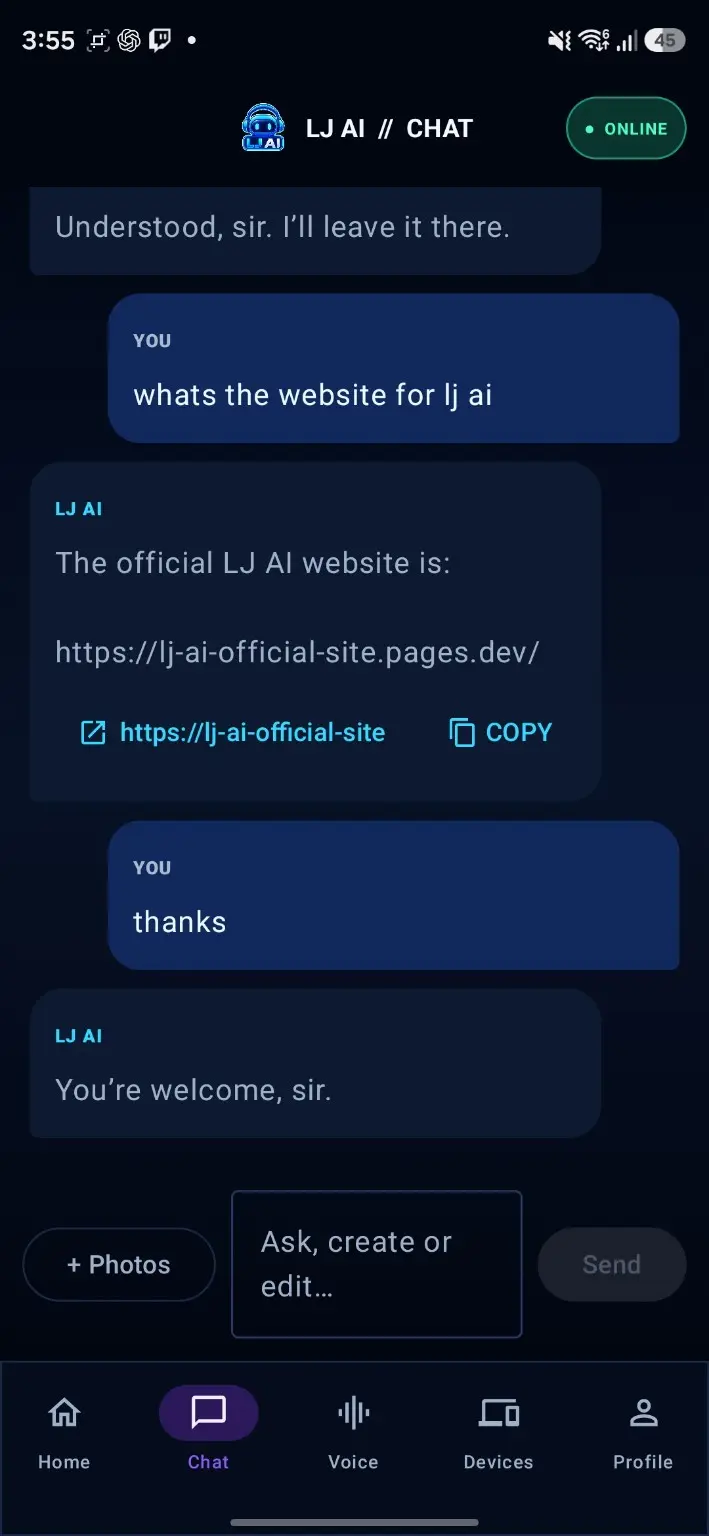
Get help with questions, ideas, writing, planning, coding and everyday tasks. Web-enabled answers can bring in recent information when it is needed.
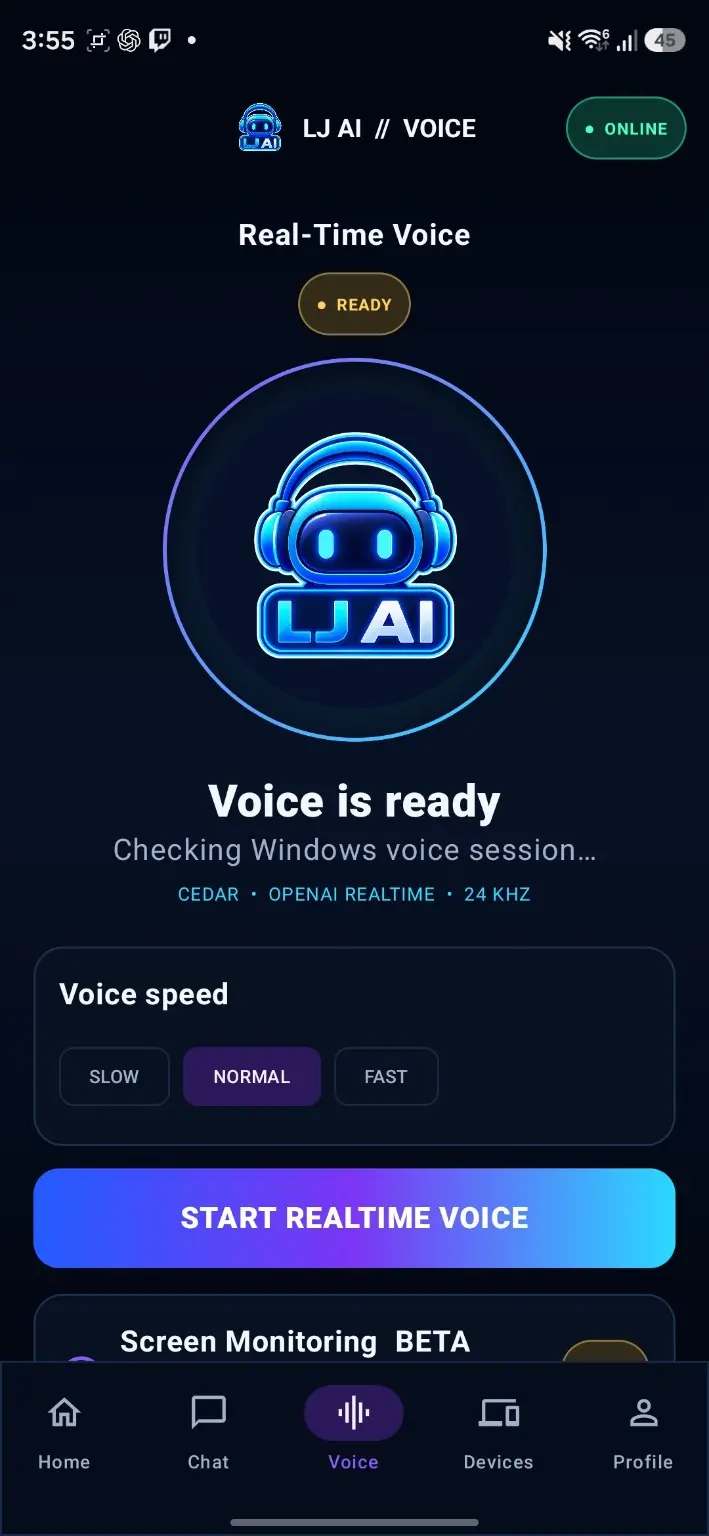
Talk naturally with LJ AI and hear spoken replies. Choose your voice settings and keep the conversation hands-free when your plan includes voice time.
Upload photos or screenshots for analysis, create new images and request follow-up edits.
Open supported apps, websites, files and folders, and use optional computer controls when you enable them.
Chat, use voice and image tools, open supported apps and websites, and start visible phone actions.
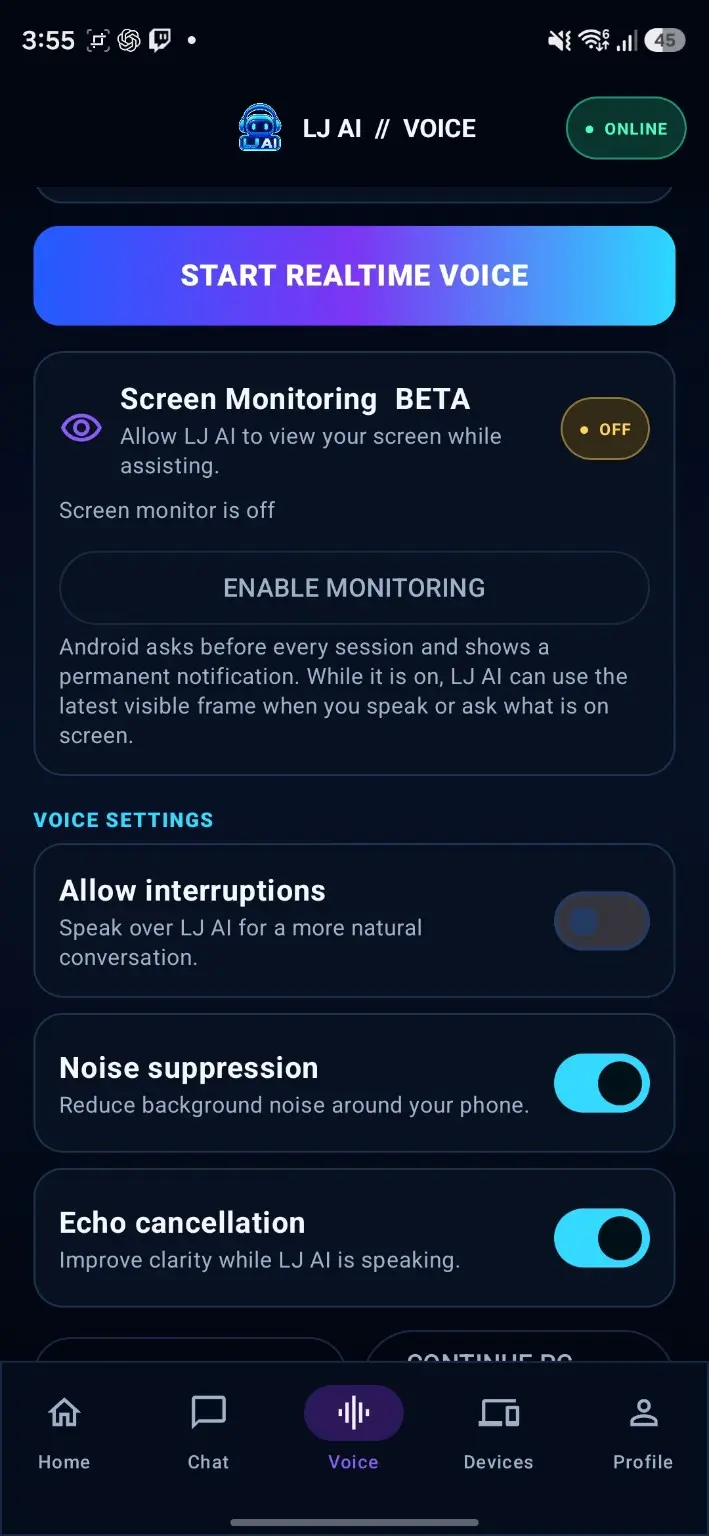
When you enable Screen Monitoring, LJ AI can use what is visible as context. You stay in control and can stop it at any time.
Show LJ AI a repeatable task, review the saved steps and reuse the workflow. Sensitive or important actions still require your confirmation.
Use the same LJ AI account and plan across supported Windows and Android devices, with supported history, settings and usage kept in sync.
Features can vary by device, operating-system permissions, app version, plan and third-party service availability. LJ AI explains optional permissions before you enable them.
Real LJ AI screens
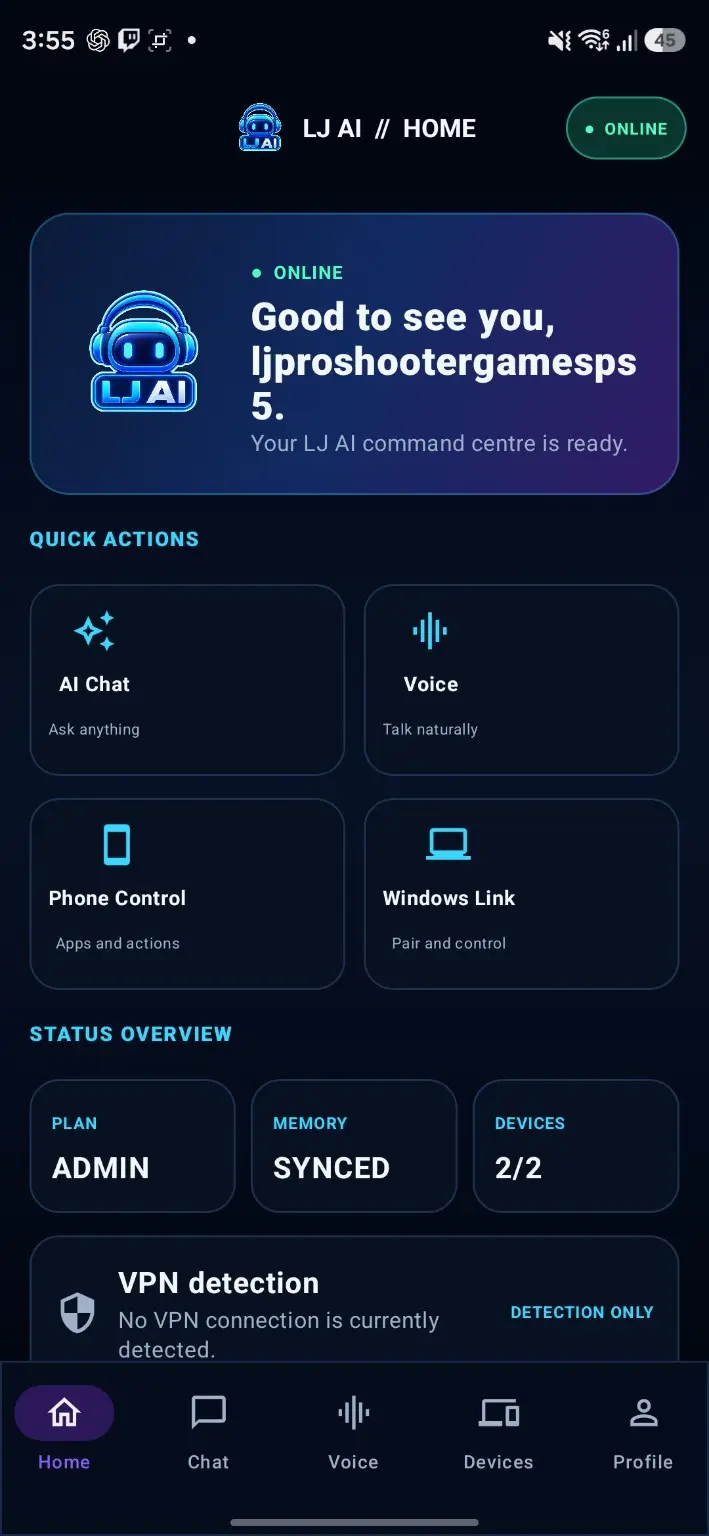
Choose Windows or Android, then use Previous and Next to look through the latest V15.9.5 app screens. These are real product screenshots.
Chat, realtime voice, Teach LJ, device tools, private storage and personal settings from one connected workspace.
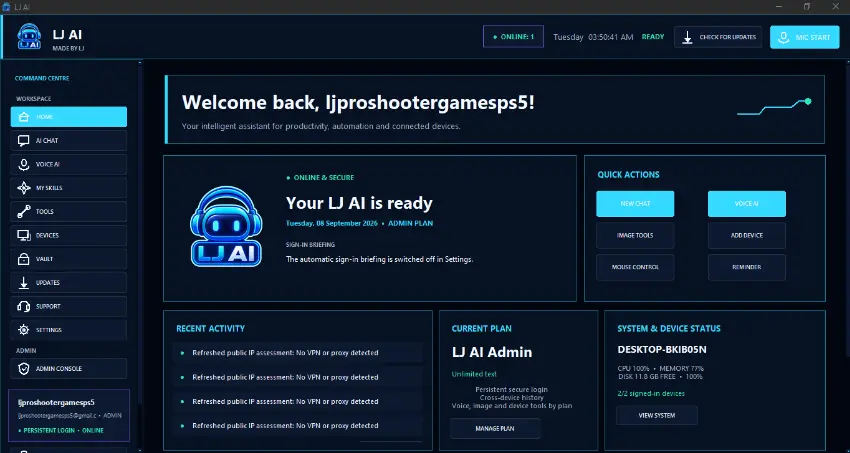
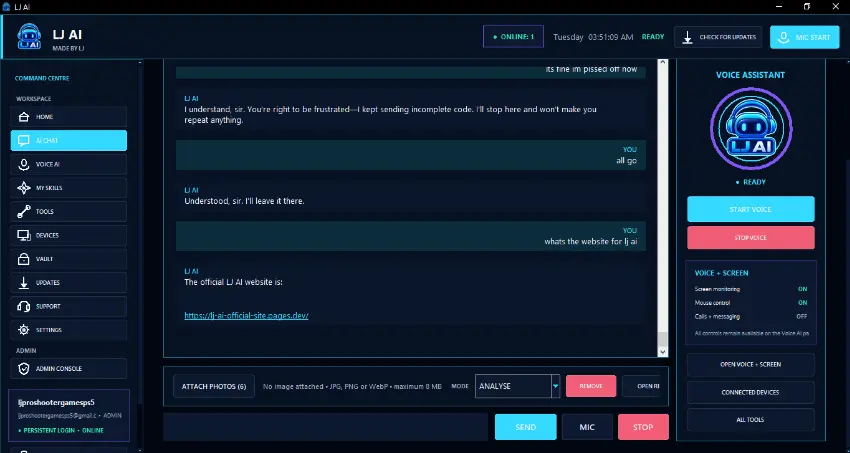
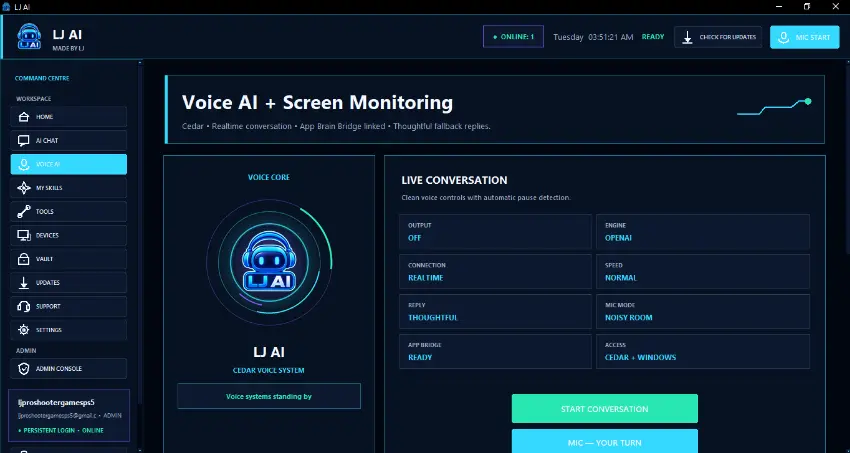
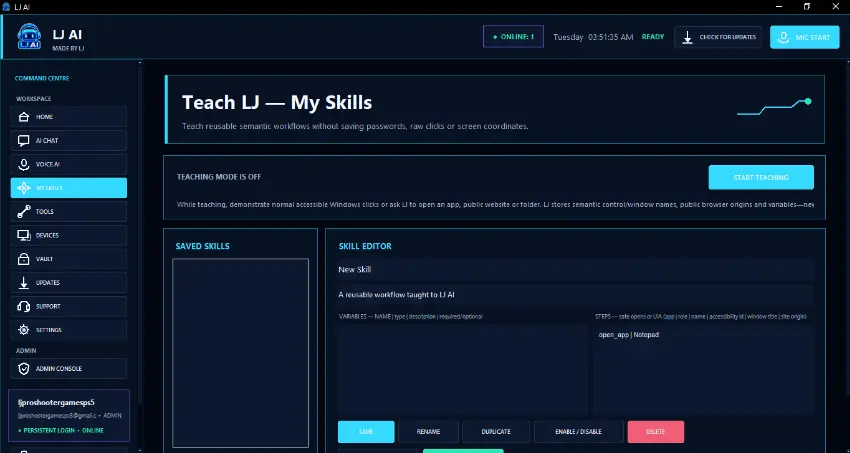
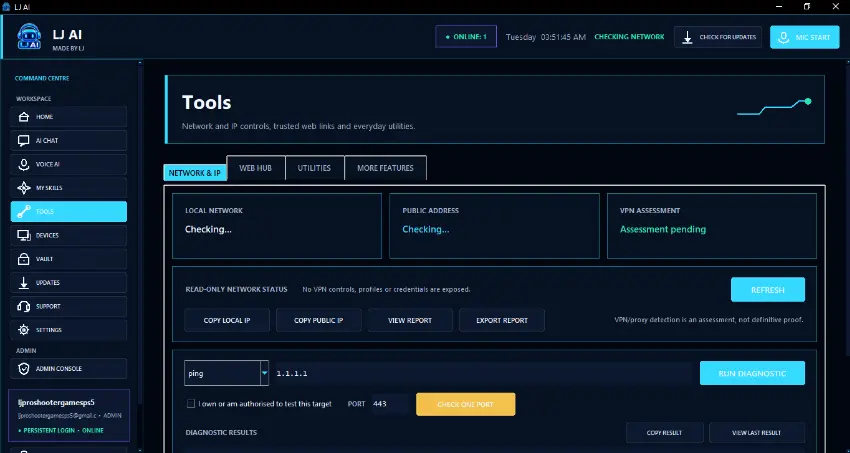
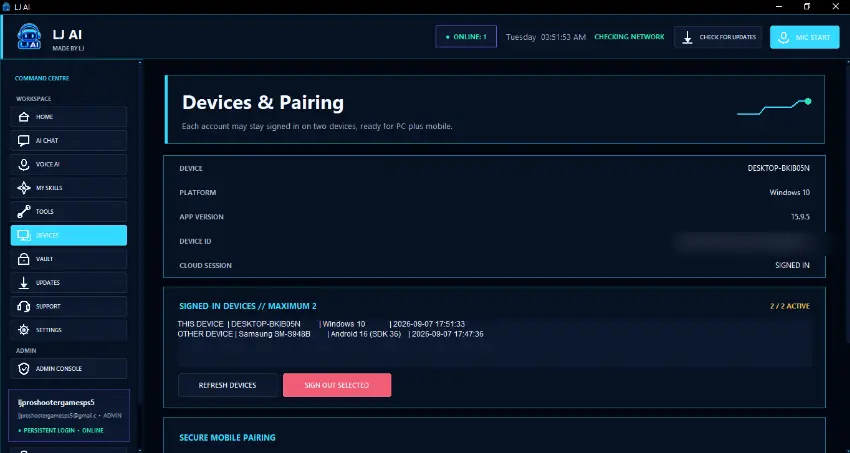
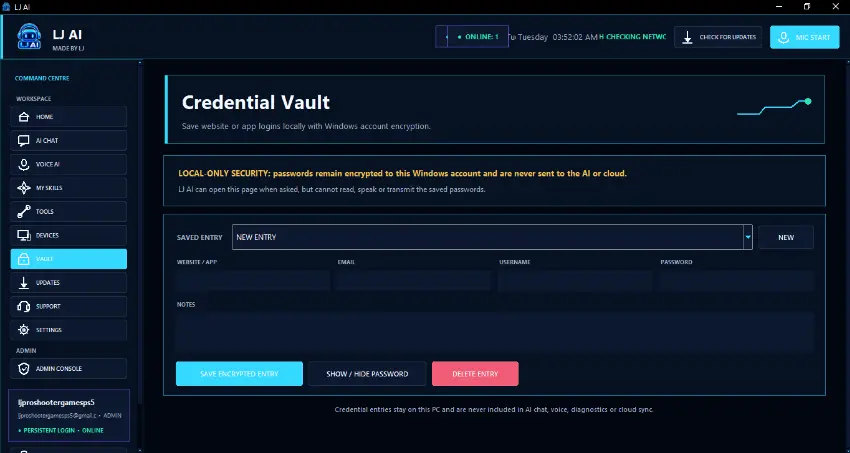
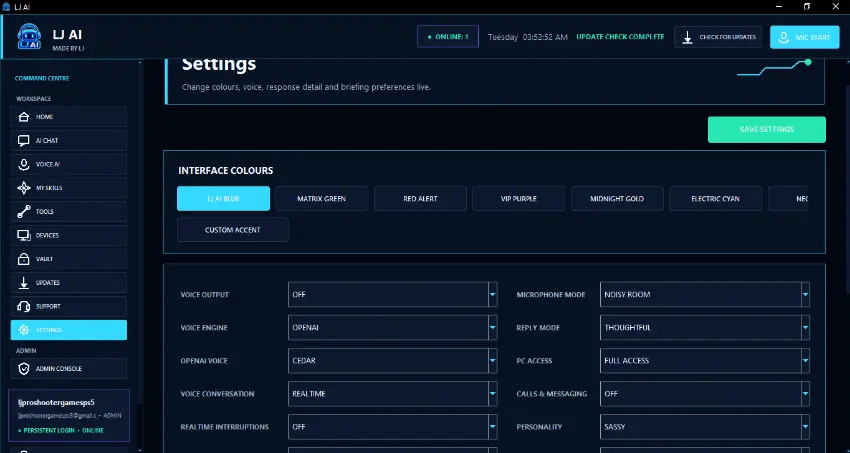
Take chat, realtime voice, screen assistance, device connections and your LJ AI account with you.
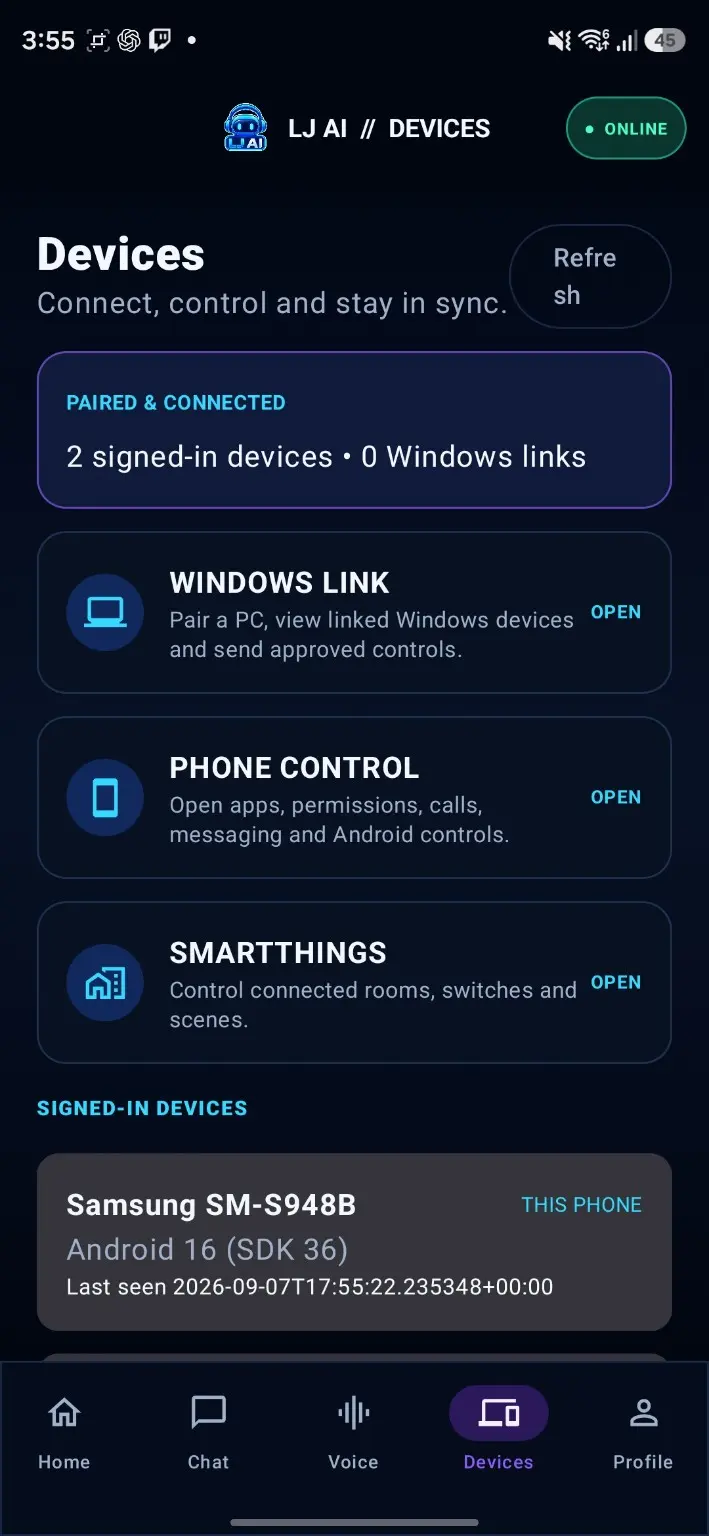
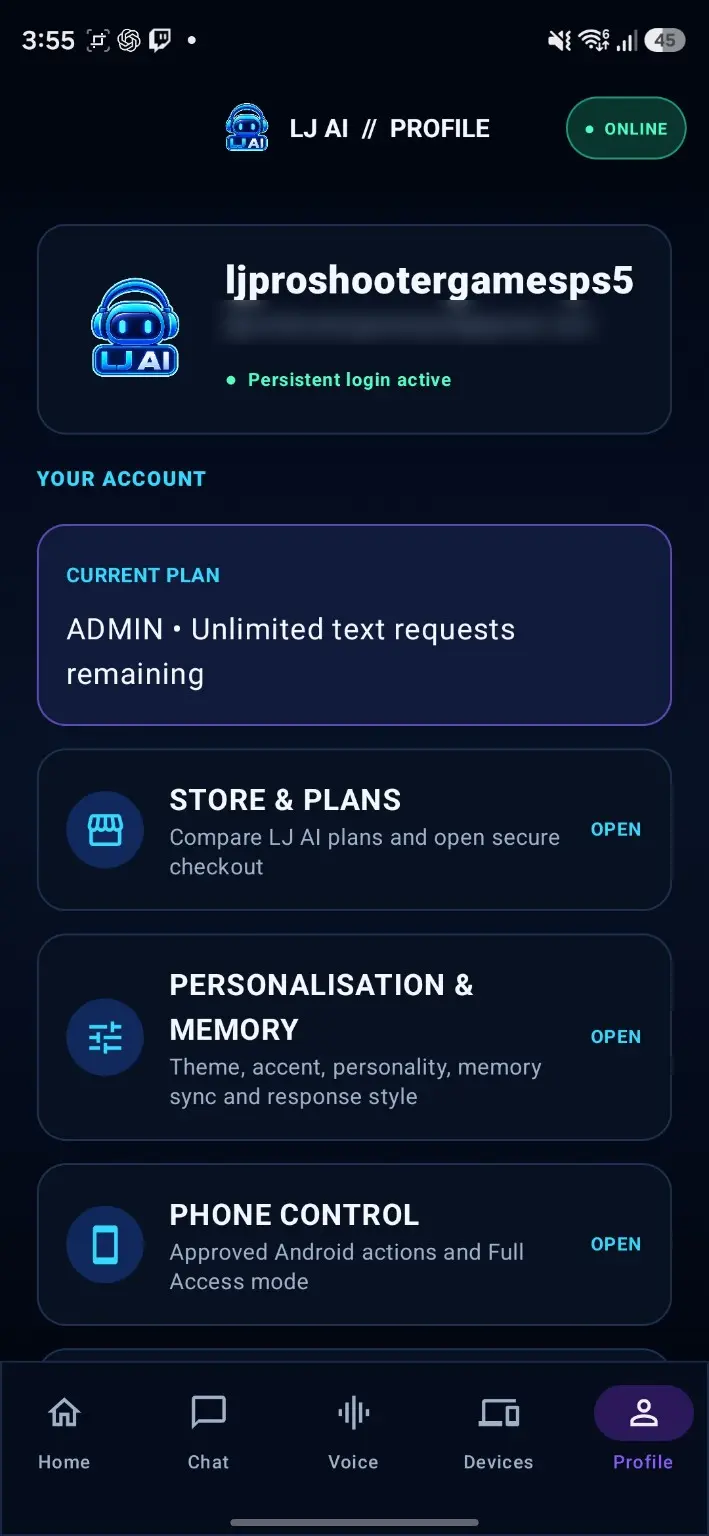
Official downloads
Windows and Android are available now. Both buttons below download the latest public release directly from the official LJ AI GitHub release.
The complete desktop assistant, including chat, voice, image tools, Teach LJ and optional computer assistance.
Download for Windows ↓The mobile companion for chat, voice, images, account access and supported phone features.
Download for Android ↓Start in three steps
Use the secure form on this page, then confirm the email LJ AI sends you.
Install the official Windows or Android app and sign in with the same account.
Use LJ AI for free or open secure Stripe Checkout from the signed-in app.
Simple pricing
Start free, then upgrade when you want more text, images or realtime voice. Use the tabs to compare 1 month, 3 months or 1 year. Every price is also shown in the full table below. Prices are in USD.
Explore LJ AI with useful daily allowances.
always free
A comfortable step up for regular help.
billed every month
More room for chat, images and voice.
billed every month
The largest image and voice allowances.
billed every month
| Plan | 1 month | 3 months | 1 year |
|---|---|---|---|
| Free | $0 | $0 | $0 |
| Basic | $15 | $45 | $171 Save 5% |
| Premium | $24.99 | $74.97 | $284.89 Save 5% |
| VIP | $59.99 | $179.97 | $683.89 Save 5% |
Create or sign in to your account, open Store or Manage Plan, then select a plan and billing period.
Stripe Checkout handles the payment. LJ AI does not collect or store your full card number.
Your plan activates after payment is verified. Manage or cancel renewals through the Stripe customer portal inside LJ AI.
Paid subscriptions renew at the selected interval until cancelled. Stripe Checkout shows the exact price, currency and renewal details before payment. Your bank may apply conversion or international-transaction fees.
Your LJ AI account
Create your free account here. After confirming your email, use the same details to sign in on Windows and Android.
Already have an account? Download or open LJ AI and sign in there.
Friends and family
Want to share LJ AI with a friend or family member? Email the LJ AI team and tell us who you would like to share it with. If a promotion is available, we will reply with a code and its terms.
About the creators
LJ AI began as a personal project created by Lauchlan Johnson. He wanted an assistant that could do more than answer questions—something that could help with everyday work, creativity and connected devices from one place.
After sharing the idea with people close to him, Lauchlan decided to turn it into a public app. His friend Kinttr joined the journey by testing builds, sharing honest feedback and suggesting features and improvements.
LJ AI is their first major published project. It is built with care, shaped by real feedback and supported by the same people behind it. If something is not working or you have an idea, send a support ticket or email the team.
Common questions
Yes. V15.9.5 is available for Windows and Android through the official download buttons on this website. The iOS version is coming soon.
Yes. The Free plan does not require payment and includes daily text and image allowances plus Screen Monitoring.
Create and confirm your account, sign in to LJ AI, open Store or Manage Plan, then choose your plan and billing period. Payment opens in secure Stripe Checkout.
Supported device actions are optional and permission-based. Capabilities vary by platform, device and operating-system permissions, and important actions can require confirmation.
Open Manage Subscription inside LJ AI to launch the Stripe customer portal. You can stop the next renewal there. See the Delivery, cancellation and refund policy for full details.
Email ljai.hq@gmail.com, create a support ticket inside LJ AI or visit the Support page. Never send your password, verification code or full payment-card details.
Download the official release or create your free account first.